
CNBC: Business & Stock News
Versant Media, LLCFinance
4.58.66K Reviews
- Version
- Varies With Device
- Installs
- 5.00M
- Age Rating
- Teen
Screenshots
Our Review of CNBC: Business & Stock News
 Analysis by Appyee
For a first-week test, I’d use CNBC: Business & Stock News with one clear purpose: make it easier to follow the business stories and market moves I already care about. It’s a free finance app from Versant Media, LLC, and its mix of headlines, market information and video gives it a stronger daily-news feel than a bare stock quote screen. The key question, though, is not whether it can fill a few spare minutes. It’s whether the app stays useful after the initial curiosity wears off.
A useful first week starts with a smaller feed
My advice is to resist trying to follow every topic at once. Pick a handful of interests—perhaps a company you own, an industry you work in and one broader market theme—and see whether the personalized feed makes those subjects easier to keep up with. A focused start helps distinguish relevant coverage from the general stream of business headlines, which can otherwise feel busy simply because finance news never stops.
The app is most appealing if you want reporting and market context in the same place. A quote-focused alternative may get you to a price faster, while a general news app can be better for a wider mix of world events. CNBC sits between those habits: it is aimed at readers who want business coverage to be part of their routine, not just a screen they open when a stock moves.
That makes it a natural fit for someone who checks markets before work, follows company news during the day or wants a quick recap without searching across several sources. It is less compelling if you rarely read business news, or if your main need is placing trades. News and market information can help you understand what is happening, but they are not a substitute for a brokerage account or a personal investment plan.
What a normal day with it can look like
Imagine checking your watchlist over breakfast, then returning to a related headline during a lunch break. Instead of treating each price change as a complete story, you can use coverage and market context to ask what else may be moving the company or sector. Later, a short video can be a convenient way to catch up when reading a longer piece is impractical. That is a practical rhythm: check, investigate, then close the app rather than letting every update dictate your day.
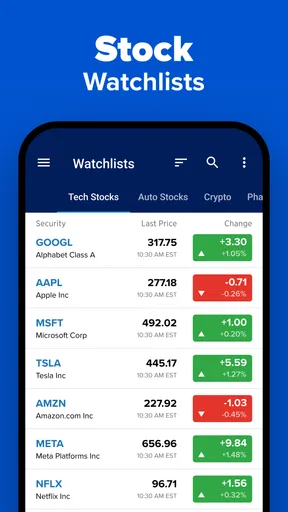
For that routine, I would keep the watchlist intentionally selective. A short list is easier to scan and makes an alert more meaningful; a sprawling list can turn every session into a hunt for the few items that matter. If you follow a company for work rather than investment, keeping it beside your personal interests can also help you notice industry developments without confusing professional curiosity with a decision to buy or sell.
Video is particularly handy when I have a few minutes but not enough attention for a long read. The trade-off is that a concise clip can give me the outline without all the detail I would get from an article. If a story could affect a decision, I’d use the video as an entry point, then read the fuller coverage and check the relevant market information instead of relying on a summary alone.
The First Impression
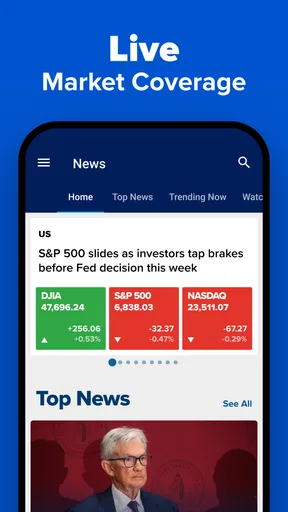
First things first, let’s talk about the user interface. The moment you open the app, you’re greeted with a sleek, intuitive design. It’s got this minimalist vibe that doesn’t overwhelm you with too much info at once. Instead, it presents the latest headlines, market data, and personalized watchlists in a neat and organized manner. I mean, who doesn’t love a clutter-free experience?
Navigation is a breeze, too. The bottom menu is straightforward, allowing you to switch between news, market updates, and your personalized content with just a tap. It’s like the app knows exactly what you need and how you like it served. Pretty neat, huh?
Staying Updated with the Latest News
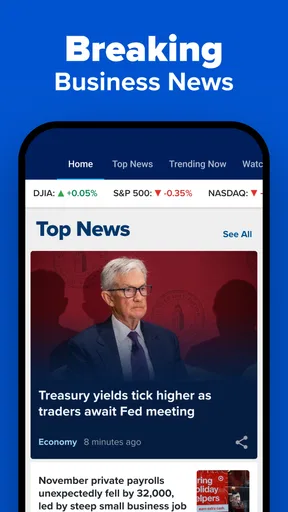
Okay, let’s dive into the real meat of the app—its content. CNBC: Business & Stock News is packed with up-to-date news articles, covering everything from stock market trends to personal finance tips. It feels like having a financial guru in your pocket, ready to drop some wisdom whenever you need it.
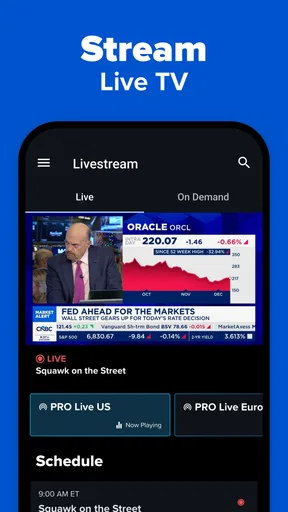
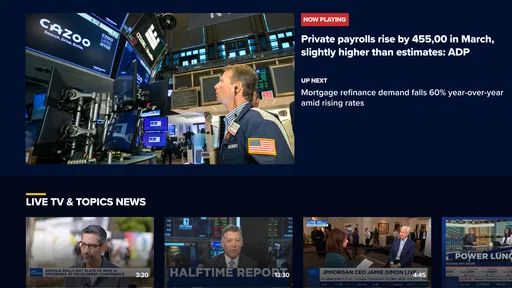
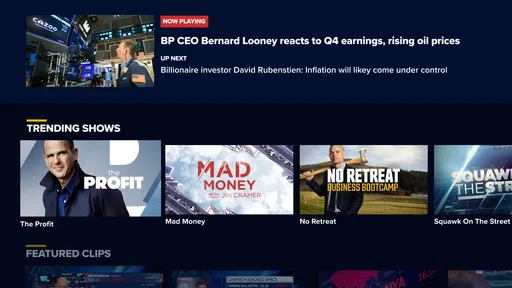
What I particularly love is the integration of video content. Sometimes, reading long articles can be a bit much, especially when you’re multitasking. The app’s video clips are a lifesaver, providing succinct summaries of the day’s biggest financial stories. Whether you’re in a cab or grabbing coffee, you can stay informed without breaking a sweat.
Managing Your Portfolio
Let’s talk about the portfolio tracking feature—one of my personal favorites. Setting up your portfolio is as easy as pie. Just input your stocks, and you’re good to go. The app offers real-time data, so you can keep an eye on your investments and make informed decisions on the fly.
And guess what? You can even set up alerts for price changes or breaking news related to your stocks. It’s like having a personal assistant who’s always on the lookout for your best interests.
Market Data at Your Fingertips
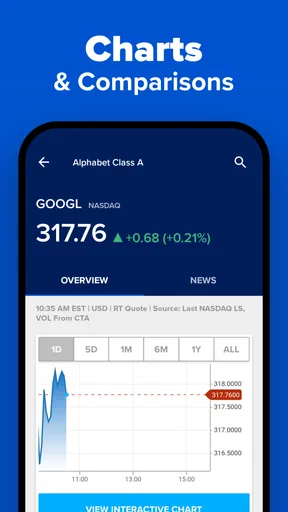
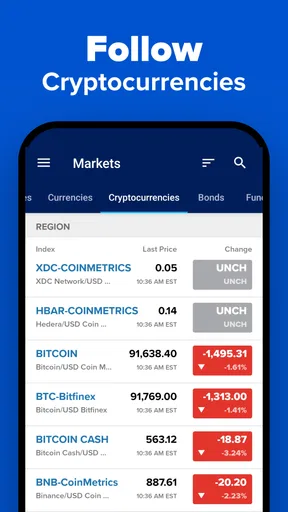
For all my fellow data nerds out there, this app is a goldmine. It provides comprehensive market data, including charts, indices, and currency info. You can customize the data to fit your needs, whether you’re a seasoned investor or just starting out. It’s all about giving you the insights you need, when you need them.
Plus, the app’s analysis tools are top-notch. The detailed charts and historical data help you make sense of market trends, making it easier to strategize your next big move. Who doesn’t want to feel like a Wall Street pro, right?
Personalization and Customization
Now, let’s get into personalization. The app lets you tailor your experience by choosing the news categories that interest you the most. Whether you’re into tech stocks or international markets, you can customize your feed to suit your preferences. It’s like having a bespoke financial news service.
Moreover, the app’s recommendations get better over time. The more you use it, the more it learns about your interests, offering up content that’s right up your alley. It’s almost like it reads your mind—or at least your browsing habits!
Making the habit last
The real test is month to month. A finance app earns a lasting place when it helps me answer recurring questions, not when it merely gives me another reason to refresh. I’d use CNBC to check what changed, read the reporting behind a move and then step away. For long-term investing, that restraint matters: frequent headlines can create a sense of urgency even when my own plan has not changed.
Alerts deserve the same discipline. I’d enable only the ones tied to a company or price level I genuinely intend to monitor, then review whether each notification led to useful context or just interrupted me. A breaking-news alert can bring a relevant development to my attention, but it cannot tell me by itself whether the news changes a company’s prospects. Treat it as a prompt to investigate, not an instruction to act.
The app’s broad coverage is also useful when a single holding is affected by a bigger story. If an industry is in the news, I can widen my reading beyond one company and look for the market context. That is a better use of a finance feed than checking a quote repeatedly: it turns a watchlist into a starting point for understanding, rather than a scoreboard that invites emotional reactions.
Where CNBC fits among finance apps
Compared with a basic market tracker, CNBC puts more emphasis on editorial coverage and video alongside figures. That is an advantage when I need to understand why a market topic is receiving attention. A dedicated charting or trading tool may be a better choice for someone who needs specialized analysis or wants to execute transactions; this app’s appeal is following business news and market information, not replacing every financial tool on a phone.
It also differs from relying on a broad news feed. General news services may offer wider coverage, but a finance-focused app makes business and markets the center of the experience. The trade-off is that readers who only want occasional headline checks may find a dedicated finance destination unnecessary. I would choose based on the habit I want: regular business coverage points toward CNBC, while occasional price lookups may call for a simpler tracker.
One useful way to avoid confusing reporting with advice is to separate the question you bring to the app from the decision you make afterward. “What happened to this company?” is a news question. “Should I buy it?” depends on my finances, goals and risk tolerance, and a headline alone cannot settle it. Keeping that distinction clear makes the app more valuable and helps prevent a fast-moving story from becoming an impulsive trade.
The upkeep and the points that can wear thin
Maintenance is modest but not automatic. A watchlist needs occasional pruning as my interests change, and personalization works best when I make choices rather than letting the feed become a catch-all. I’d remove companies I no longer follow and revisit the categories I selected. That small bit of housekeeping can make everyday checks faster and reduce the feeling that every headline deserves attention.
The main source of fatigue is volume. Markets produce new developments constantly, and a steady stream of news can make every movement feel important. If I notice myself checking without a question in mind, I’d mute nonessential alerts or set a specific time to catch up. The app is more helpful as a deliberate reading stop than as a background ticker competing for attention all day.
There is also a meaningful difference between access to information and confidence in an investment decision. Charts, historical data and reporting can add context, but they do not remove uncertainty or guarantee that a past trend will continue. New investors may find the range of market material useful, yet should take time to understand what a chart shows before treating it as a signal. Readers who want personal financial guidance should look beyond news coverage for advice suited to their circumstances.
Cost is worth considering if you explore paid options: the app is free to download, with in-app purchases listed from $14.99 to $399.99 per item. I would begin with the free experience and decide whether any paid offering solves a need I actually have, rather than assuming a purchase is necessary to follow the headlines. The app is rated for Everyone, and its long-running presence is reflected in its release date of March 18, 2010. It has a 4.5 average from around 104,000 ratings, with more than 5 million installs.
Who should keep it—and who can skip it
I’d recommend CNBC to people who regularly follow companies, industries or economic developments and want reporting close to their market checks. It can also suit a curious beginner who wants to build a habit of reading business news, provided they approach market commentary as context rather than a personal recommendation. The combination of written coverage, clips and market information gives different ways to catch up depending on the time available.
I’d skip it if I only need a simple price glance, if I already have a news routine that covers the business stories I care about, or if I want a specialized trading interface. Another app may be more efficient for any of those narrower jobs. The same goes for anyone who finds financial headlines stressful: a focused tracker opened occasionally could be healthier than adding a continuous stream of market coverage.
Final Thoughts
So, there you have it—my take on CNBC: Business & Stock News. Whether you’re a financial aficionado or just someone trying to make sense of the stock market chaos, this app is a must-have. It combines comprehensive news coverage, real-time market data, and personalized content in one neat package.
In a world where information is power, this app ensures you stay empowered and informed. So why not give it a try? You might just find it’s the financial ally you didn’t know you needed.
After the novelty fades, I think its lasting value depends on whether I return with a purpose: to follow a company, understand a business story or get a quick market briefing. If those needs are part of my week, CNBC can earn its space through a repeatable routine. If I find myself opening it just to watch prices fluctuate, I’d simplify my setup or choose a less demanding alternative. Used with a selective watchlist and sensible alert habits, it is a useful companion for staying informed—not a replacement for careful research or sound financial judgment.
Verdict
Strengths of CNBC: Business & Stock News
- Comprehensive financial news coverage.
- User-friendly interface for easy navigation.
- Real-time stock market updates.
- Customizable watchlists and alerts.
- In-depth analysis and expert opinions.
Limitations of CNBC: Business & Stock News
- Requires internet connection for updates.
- Push notifications can be overwhelming.
- Limited features in the free version.
- Ads may interrupt user experience.
- Occasional crashes on older devices.
Other Releases by Versant Media, LLC
View All
E! News
News & Magazines4.3

MS NOW: Watch Live News
News & Magazines4.6
Similar Picks in This Category
View All
Google Wallet
Google LLC4.3

Airtel: Recharge, Bank & Loans
Airtel4.0

PayPal - Pay, Send, Save
PayPal Mobile4.2

DANA Indonesia Digital Wallet
PT Espay Debit Indonesia Koe4.5

Binance: Buy Bitcoin & Crypto
Binance Inc.4.8

Cash App
Block, Inc.4.7
Frequently Asked Questions
What features does the CNBC: Business & Stock News app offer?
The CNBC app provides real-time updates on financial markets, personalized stock watchlists, and breaking business news alerts. It includes in-depth analysis, live streaming of CNBC TV, and exclusive interviews with market experts. These features are designed to keep users informed about global economic trends and stock market movements.
Is the CNBC app free to use, or are there any subscription fees?
The CNBC app is free to download and offers a range of free features. However, some premium content, like certain live TV streams and exclusive reports, may require a subscription. Users can choose to subscribe for additional insights and ad-free experiences, ensuring they receive comprehensive financial news coverage.
How reliable is the information provided by the CNBC app?
CNBC is a reputable source for financial news, known for its accuracy and timely reporting. The app provides data from trusted financial markets and news from experienced journalists. It’s designed for investors, traders, and business professionals who rely on precise information to make informed decisions.
Can I customize notifications on the CNBC app?
Yes, the CNBC app allows users to customize notifications based on their interests. You can set alerts for specific stocks, market news, and economic events. This ensures that you receive timely updates relevant to your investment portfolio and business interests, keeping you informed on the go.
Is the CNBC app available for both Android and iOS devices?
The CNBC app is available on both Android and iOS platforms. Users can download it from the Google Play Store and Apple App Store. It’s optimized for smartphones and tablets, providing a seamless user experience across devices, so you can access financial news anytime, anywhere.
